post image

Sprint at CERN: things got done!

Whhoooo! Almost one week before I only gave a thought to write this post.
Reading myself again, I think I have to much to say… Let’s split so that you don’t get (too much) bored 🙂

The sprint

This sprint was my first meeting with KDE contributors. I broke the first rule my parents told me about internet: “Do never meet the people you are chatting with on the web!”. Anyway it was a really, really good experience.

We had good food (thank you W2L!), we had a lot of noise (thank you W2L!), and we had a productive team (thank you @alexmerry, @fringing and @rharisch!).

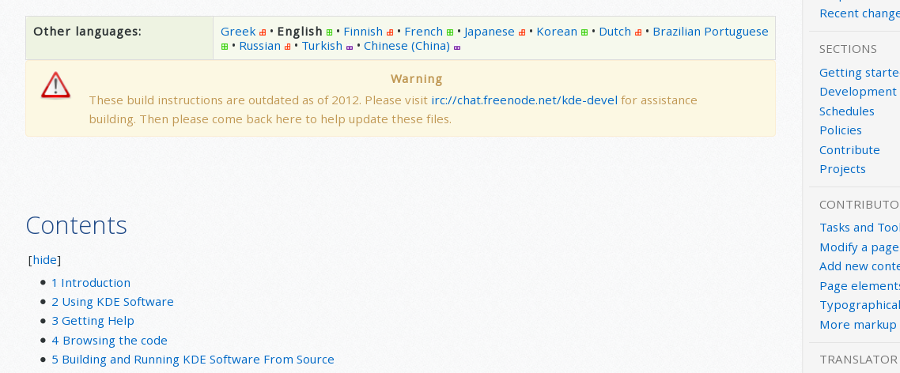
As I already wrote in previous posts, my team was working on reorganizing and updating Techbase [1].
When we planned this we decided do focus on this wiki only. But nothing worked as planned…we just did a lot more!

First steps

KDE operates three wikis:

If the content of the first one was really easy to define, it wasn’t so clear what should go to community and techbase. Our first goal was to define a clear and precise line to discriminate the content of the two other wikis.

Defining this line took us not less than 2 (two!) days. We thought in term of Who is the target of this wiki? and had a lot of discussions about specific and borderline cases. We talked on IRC to get second views and see if our ideas where reasonable. We ended with these presentation texts (see [2]):

Techbase.kde.org is primarily aimed at external developers.
It provides documentation and help for developers building on or extending KDE products in their own projects.

Community.kde.org is the working area for the KDE community.
It provides a place for sharing information within the community, including policies, guidelines and coordination.

I’ll come back to this in a dedicated post in a few time… You already can read some details on this on Alex’s blog [3].

Hard work with moving pages…

When our ideas were clearer, we began to follow our new rules and reorganize the wikis for real. We realized that most of the pages in Techbase were belonging to Community, and that we had thus to work hard on Community as well.

This wouldn’t have been possible without @neverendingo and @nicolas17 who gave us temporary more rights on Community and Techbase, helped us to massively move pages and replace them by links to the new position and so on…

We are not completely done, but please let us know if you don’t find something… We might have forgotten some links.. You can already go on the wiki to see how it is slowly changing (for the best!).

I’ll be back with more info later!

Cheers and have fun!

What we did this week wouldn’t have been possible without the support of KDE e.V. Consider supporting it!
Via Paypal for one-time donations
Become an ongoing supporter and official supporting member

Links

[1] https://techbase.kde.org
[2] https://wiki.kde.org
[3] https://randomguy3.wordpress.com/2016/03/08/wiki-reorganisation/
post image

Sprint at CERN, hey you wanna help?

This is rather a short post…

The sprint at CERN for WikiToLearn, the VDG and Plasma team and to reorganize Techbase is beginning on Monday. As I already said in previous posts about reorganizing Techbase: having clean and organized wiki is really beneficial for the community. It will be easier to find the information, and thus the community will be more efficient.

People asked on the mailing list if they could remotely help… I just want to say: Of course! To work on the Techbase, you can join us on #kde-www and #kde-devel (on freenode) and see what’s still to do, and what the plan is.

I cannot already say how we are going to be organized but anyway, just ask on the channels (you can ping me @ochurlaud as well).

As I said, a short post: I’m already done.

Next week, ping us on #kde-www, and hack with us!

Cheers, and have fun!!
Olivier

post image

Sprint at CERN: it’s coming….

The sprint at CERN is already almost there.

I was quite afraid that our part (reorganizing the Techbase wiki) would not be doable because of the problem KDE had on all the wikis. Because of a severe spam attack [1], all edition rights were suspended until a better authentication was implemented.

It is now done! (kudos @neverendingo, @bcooksley, @Nikerabbit and all people who contributed to that)

What are we going to do there?

As already written in my previous post, this sprint is a WikiToLearn [2] sprint. Other projects, such as Plasma and the VDG Team were kindly invited to join. I’ll be part of the team working on tidying up the Techbase wiki [3].

This includes moving the KDE4-related documentation to an archive namespace, (re?)moving old drafts and duplicate documentation, checking that everything we leave in the main namespace is up-to-date. And certainly more.

What already began… What can you already do?

I’ve seen that @jucato already began to port some tutorials from KDE to KF5. He added some tasks that I regrouped here [4]. It’s not comprehensive but still a good start.

Begin to have ideas, create tasks in the project techbase on our Phabricator, and do whatever usefull I haven’t thought of!

Keep in mind…

KDE ev. is supporting this sprint: I know it is worth it and that this money is well spent… Let’s rock this!

Cheers and have fun!

Links

[1] http://marc.info/?l=kde-devel&m=137466627807667&w=2
[2] http://wikitolearn.org/
[3] https://techbase.kde.org
[4] https://phabricator.kde.org/T1399

post image

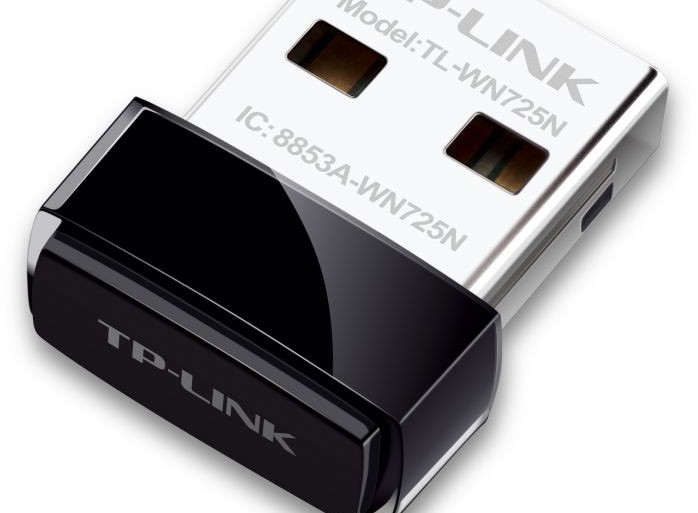
Setting the wifi on the Raspberry Pi with a TL-WN725N v2 adaptor

Since the release of the Linux kernel 3.4, the driver RTL8188eu is provided by default, which wasn’t the case some times ago: the TL-WN725N v2 wifi dongle should be working out of the box.

Install what you need

# pacman -S wpa_supplicant
Yes, that’s it… Because netctl is already installed.

Configuration of the wifi

Prepare the WPA key

# wpa_passphrase your_essid 'passphrase'

Put the passphrase between simple quotes to escape special characters.

You should get someting like:

network={
  ssid="your_essid"
  #psk="passphrase"
  psk=64cf3ced850ecef39197bb7b7b301fc39437a6aa6c6a599d0534b16af578e04a
}

Copy the psk value.

Set up netctl

To now the name of the interfaces type:
# ip link show

Here I have lo (loopback interface), eth0 (ethernet), wlan0 (wifi).

In /etc/netctl/wlan0-your_essid

Description='description'
Interface=wlan0
Connection=wireless
Security=wpa
ESSID=your_essid
IP=dhcp
Key=\"64cf3ced850ecef39197bb7b7b301fc39437a6aa6c6a599d0534b16af578e04a

Note that the value of Key is \"[what you copied before]

Test it

# netctl start wlan0-your_essid

If it works it can be enabled at boot.
# netctl enable wlan0-your_essid

If it doesn’t work, you can try to see if the problem comes from the interface or not. Using wifi-menu can be helpful. It’s a dialog in the terminal that makes things easier and in an automatic way. However it seems to have troubles with special characters in the password.

Else follow the sources …

Sources

https://wiki.archlinux.org/index.php/Wireless_network_configuration
https://wiki.archlinux.org/index.php/Netctl

post image

KDE: Sprint to reorganize the wikis (at CERN)

Hey there!

You might have heard of my proposition to reorganize the wikis. I posted it on kde-devel, kde-www and kde-community.

What’s the point?

You might have seen that Techbase [1] is a mess[citation needed]. It’s quite hard to know if an article deals with KDE4 or KF5 as plenty of the pages are drafts for another draft that is almost done… but almost.

What’s the plan?

So basically, our part in the sprint would be to take Techbase, read most of the documentation, and order/tidy up. This would entail putting all the KDE4-related pages in a new namespace, the drafts and unneeded pages in an other (to review before being removed),…

It’s also about planning for the future: do we accept to do a sprint for this every N years? Or do we introduce a sort of validating process for what is going to be in the wiki? And all the ideas that can come to you as well.

And that’s not all! We are kindly invited for this sprint by the teams of WikiToLearn, Plasma and KDEEdu, so we’ll meet all these humans who were hidden under names and pseudos. And that’s nice! (Yes, it will be my first Sprint, and also the first time I meet KDE developers for real…).

Where and when?

Here comes the best part: the Sprint will take place at CERN. I don’t know if we’ll get to visit (but I hope so), but already having been there, I can say being in the place is already quite exciting!
So let’s meet on March 7th in Geneva!

How do I join?

Here is the link where you need to register if you want to join physically: [2]. Please choose Wiki/Documentation as the team you are joining.

Here are the directions to get to CERN: [3].

Is it possible to give a hand remotely?

Of course it’s possible. I don’t know how it is going to be organized to deal with the different timezone but any kind of help is welcomed, always!

And now?

I’ll drop a link on the mailing-lists so that we prepare the Sprint some time ahead… But I think that there is no hurry 🙂

See you there and in the mean time:
Cheers and have fun!

Links

[1] Techbase: https://techbase.kde.org/
[2] Register here: https://sprints.kde.org/sprint/291
[3] Get to CERN: http://home.cern/directions

post image

Amarok is slowly catching up

I was previously working on Macaw-Movies (already in the KDE Community) and, after a while, I felt really alone and wasn’t so sure if a movie organizer still made sense in this all-connected time, where you can stream whatever you are interested in.

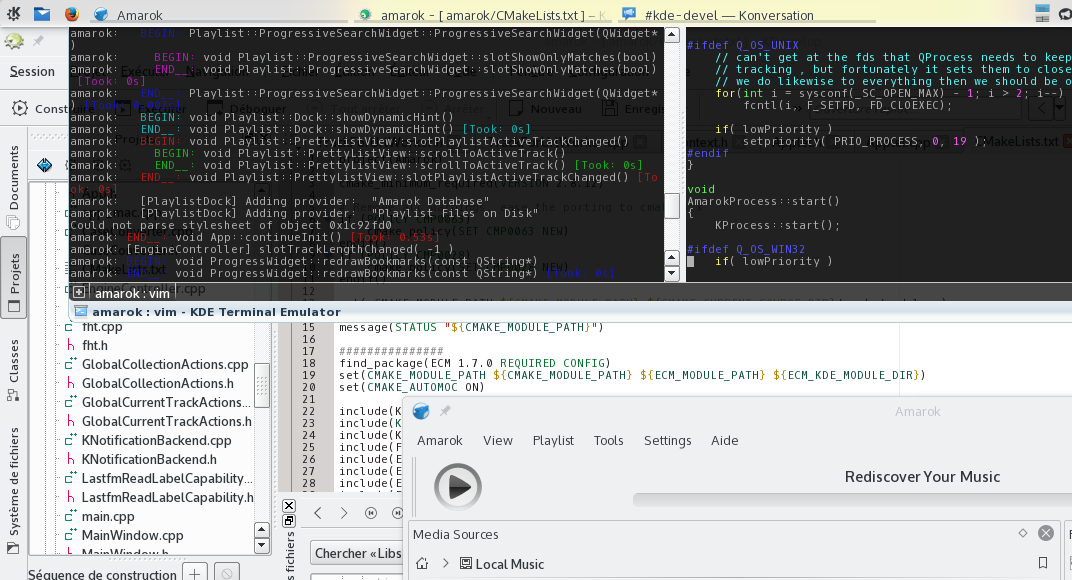
I finally went to the Amarok guys, cloned the source and began to help to port it to the Frameworks.

The plan

Aroonav (roguedragon) did his GSoC on this topic [1]. And I catch up at the end of August.

What is the plan? In theory it was this:

  1. Remove all KDELibs from the dependencies
  2. Port the CMakeLists.txt
  3. Get to 100% of build
  4. Start the program without segmentation faults
  5. Port the tests
  6. Release and Party
  7. When sober again, port out of KDELibs4Support

In practice, build 100% is quite hard because as you may know, Amarok has a context part (in the middle by default) that relies comprehensively on Plasma (from KDELibs) and QGraphics(Item|Scene|...). This whole thing must be totally rewritten, from scratch, in QML. And that’s a hell of a work!

I decided at a certain point to directly port the main components out of KDELibs4Support. No more KUniqueApplication but a puzzle between KDBus and QApplication.

Where are we now?

Currently we did until 4 (no segmentation faults anymore) but didn’t port the context part. I still have troubles with D-Bus and Amarok cannot exit without being killed.

The unit tests are almost ported [2].

What is the next step?

I’m quite ashamed to say it but I’m always postponing the porting of the context part. I’ve never done any QML in my life, and I think I’ll have a hard time. That’s why I worked on the unit tests, and I’m still tracking some bugs in the current state of the porting.

Before August, I was always writing pure Qt, and never touched to KDELibs nor the Frameworks. I learned a lot of things, thanks to #kde-devel and the kde-devel mailing list. I often felt stupid as dfaure or tsdgeos redirected me to Techbase (because I didn’t know how to setup a good working environment for instance), or when I asked a question which answer was totally obvious… And I think it’s not going to stop before some time.

So see you around,

Cheers and have fun!

Source

[1] http://binaryspring.blogspot.de/
[2] https://git.reviewboard.kde.org/r/126005/

post image

Installing the Raspberry Pi

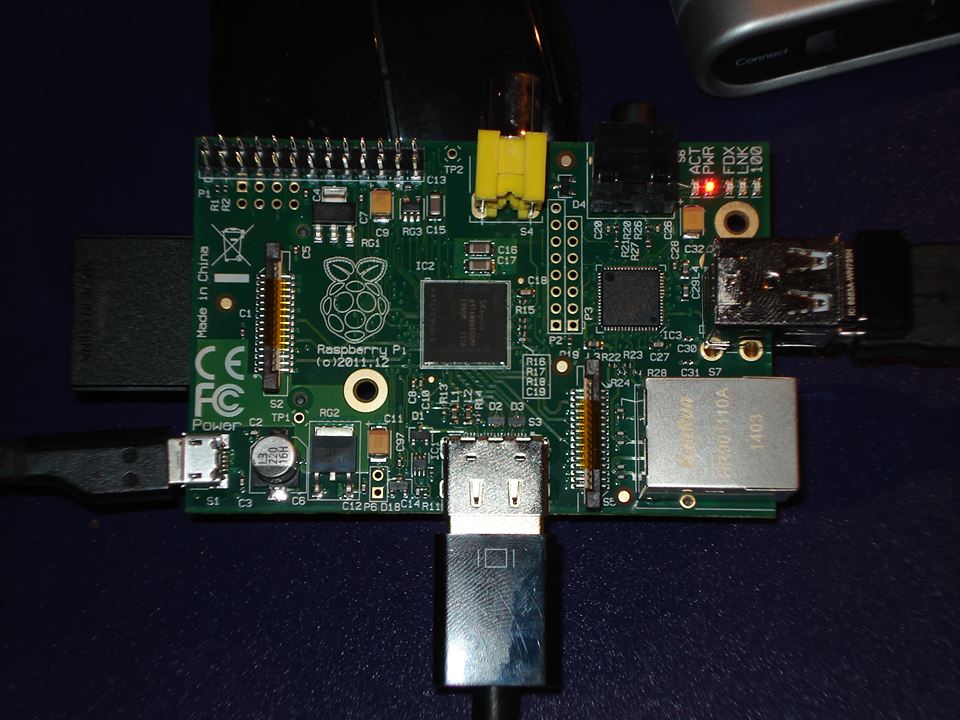
I’ve got this Raspberry Pi 1 Model B for almost 2 years. I did install ArchLinux on it a while ago and played a little. And then, because I had no project it could be used for, I just left it in a closet… Until yesterday, that a friend came out with a good idea.

Let’s start from the beginning again, and see how to install it from scratch.

Prepare the SD Card

Of course, an SD card is needed. 8 Go is really enough.

I followed the documentation of ArchLinux ARM [1], and adapted it to my needs.

In my case the SD Card was referenced in the file system as /dev/mmcblk0. Replace it by the corresponding name on your own system.

Partitioning with fdisk

We only create 3 partitions. The /boot one, the / (root) and the swap (file exchange partition). You could also separate the /home partition from the root one, but on a raspberry, it’s not so relevant[citation needed]. So we’ll have 3 partitions:

  • /dev/mmcblk0p1 for /boot
  • /dev/mmcblk0p2 for /
  • /dev/mmcblk0p3 for the swap

With fdisk [2], nothing is actually done to the disk before you type w in the main menu to write the modification. In case you’re not sure of what you’ve done, exit the program and start again…

# fdisk /dev/mmcblk0

  • Type o to clear all partitions
  • Type p to list all partitions (it should be empty)
1st partition: /boot
  • Type n to add a partitions, then 1 (it’s the first partition), then ENTER to begin on first sector, then +100M for the last sector
  • Type t, then c to set the first partition to type W95 FAT32
2nd partition: /
  • Type n to add a partitions, then ENTER (it’s the second partition), then ENTER to begin on next sector, then +XXXM for the last sector with XXX = total_size-1G
  • Type t, then 83 to set the first partition to type Linux
3rd partition: swap
  • Type n to add a partitions, then ENTER (it’s the third partition), then ENTER to begin on next sector, then ENTER for the last sector
  • Type t, then 82 to set the first partition to type Linux Swap

The partition table can no be written and exited with w

Creation of the filesystems

# mkfs.vfat /dev/mmcblk0p1
# mkfs.ext4 /dev/mmcblk0p2

Populationg the filesytems

First mount the partitions:
$ mkdir {boot,root}
# mount /dev/mmcblk0p1 boot
# mount /dev/mmcblk0p2 root

Download and extract the root filesystem:
$ wget http://archlinuxarm.org/os/ArchLinuxARM-rpi-latest.tar.gz
# bsdtar -xpf ArchLinuxARM-rpi-latest.tar.gz -C root
# sync

Move boot files to the first partition:
# mv root/boot/* boot

Unmounting the partitions and starting the Raspberry

Unmount the two partitions:
# umount boot root

The SD card can now be inserted into the Raspberry Pi. When the Raspberry Pi came out, you first add to connect to a screen and keyboard to go through the installation, configure the connection and ssh. But hopefully, you can now directly connect with the ethernet, and apply the 5V power. Then use the SSH to the IP address given to the board by your router/DHCP. Login as the default user alarm with the password alarm. The default root password is root.

ssh alarm@alarmpi

Setup the swap

Check that the swap is off (the next command shouldn’t output anything):
# swapon -s

Setup the swap partition (remember: ours is the 3rd one) and turn it on:
# mkswap /dev/mmcblk0p3
# swapon /dev/mmcblk0p3

Systemd will by default start it at boot.

Setup the environment

Accounts

Change the root password:
# passwd

Add your user account:
# useradd -c MyName -md /home/mylogin mylogin
# passwd mylogin

Install the basic packages

# pacman -S --needed base-devel
# pacman -S vim zsh python ...

You now have a simple ArchLinux on your Raspberry Pi, that you can use like any other Linux system…

Sources

[1] http://archlinuxarm.org/platforms/armv6/raspberry-pi
[2] http://tldp.org/HOWTO/Partition/fdisk_partitioning.html
[3] https://wiki.archlinux.org/index.php/Swap